Invoicing for independent contractors

Free to use

Great work deserves
a proper invoice.

One workspace for your contract work, travel dates and invoices.
Keep the details together. Get on with your next assignment.

Create your account
Inside PDF InvoicerActual app · Sample data
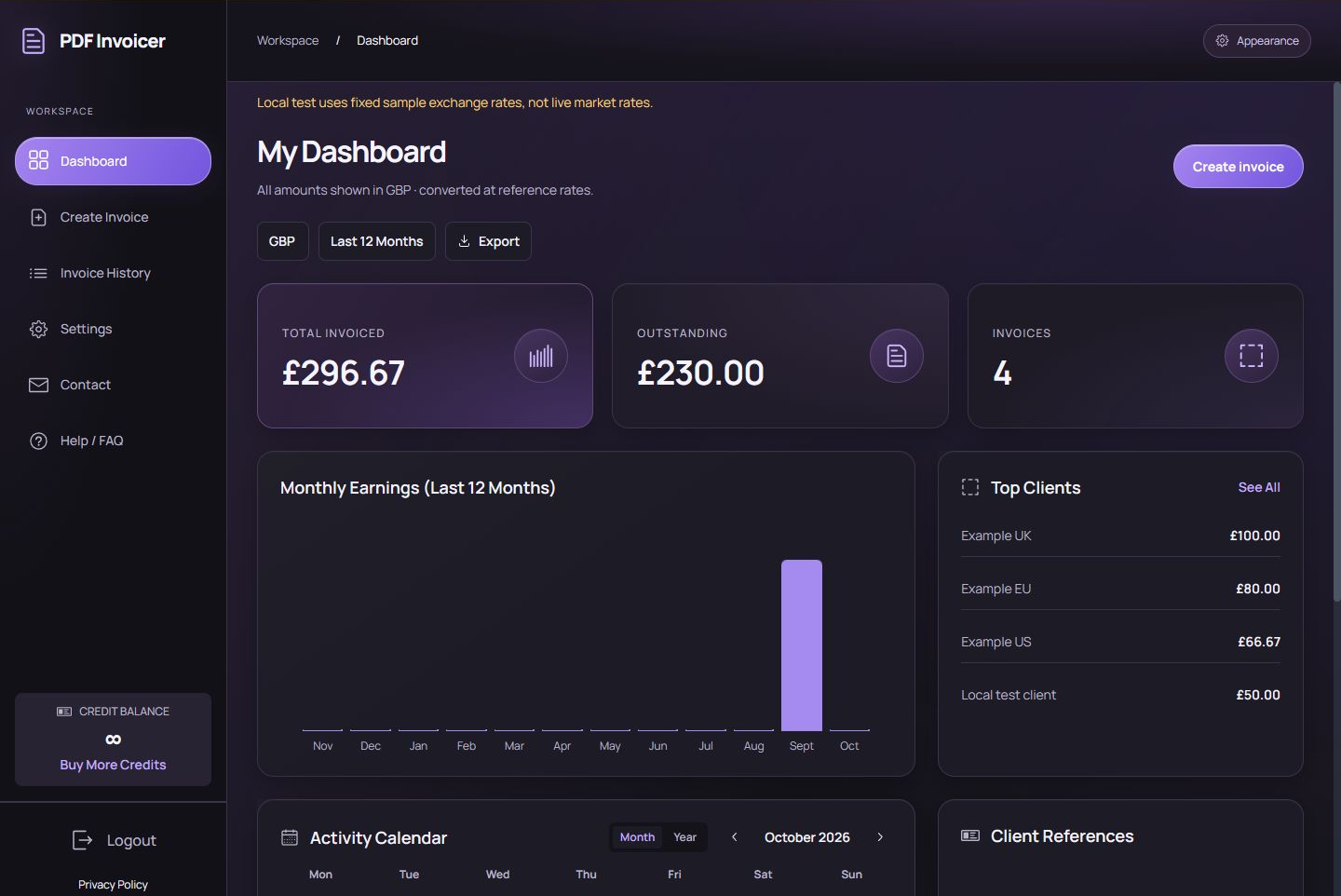
Actual PDF Invoicer dashboard in Charcoal and Violet: currency selector, total invoiced, outstanding amount, monthly earnings, and top clients. Sample data.

See total invoiced, outstanding amounts and monthly earnings in your chosen reporting currency. Click the screenshot to view full size.

Your work, from entry to invoice

See what happens
inside the workspace.

These are screenshots of the working app, using sample data. Record the assignment, enter your charges, download a PDF, and keep its payment status up to date.

01 / Record the assignment

The days behind
the invoice.

Keep work dates and travel dates in separate calendars. Drag across a range or Shift-click its first and last day.

Selecting dates adds or updates a Work or Travel line item with the number of days. Enter its daily rate to calculate the charge.

See the full invoice editor
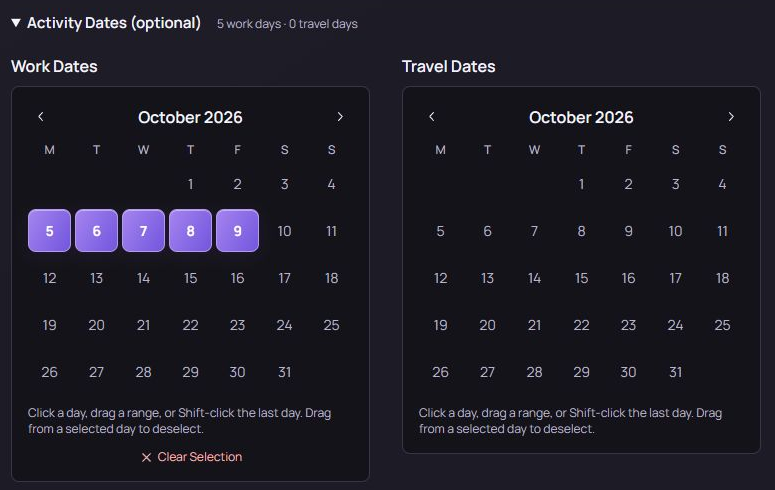
Actual invoice editor showing separate Work Dates and Travel Dates calendars, with October 5 to 9 selected as work days.
Activity Dates in Create Invoice · Sample selection
02 / Keep track after sending

An invoice history
you can act on.

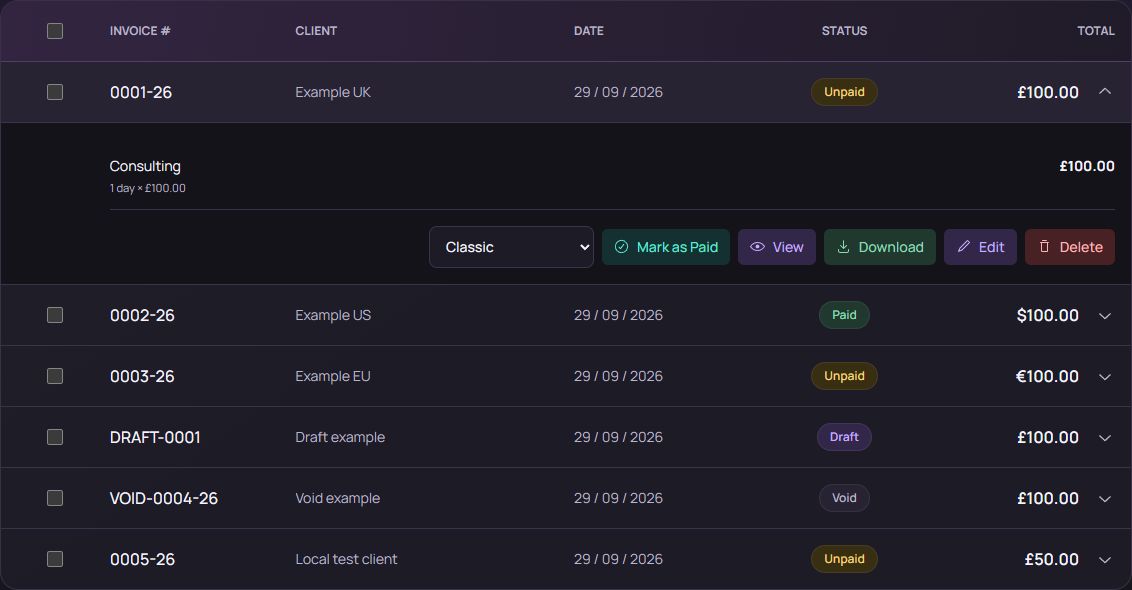
Filter by date, open an invoice’s line items, change its PDF color scheme, and view or download it again.

Record payment with Mark as Paid when it arrives. Paid, unpaid, draft and void labels keep each record clear.

See the full history screen
Actual Invoice History with an expanded invoice: Consulting line item, Mark as Paid, View, Download and Edit controls, plus paid, unpaid, draft and void statuses.
Invoice History · Sample records
03 / See your working year

Your activity.
Your days. Your earnings.

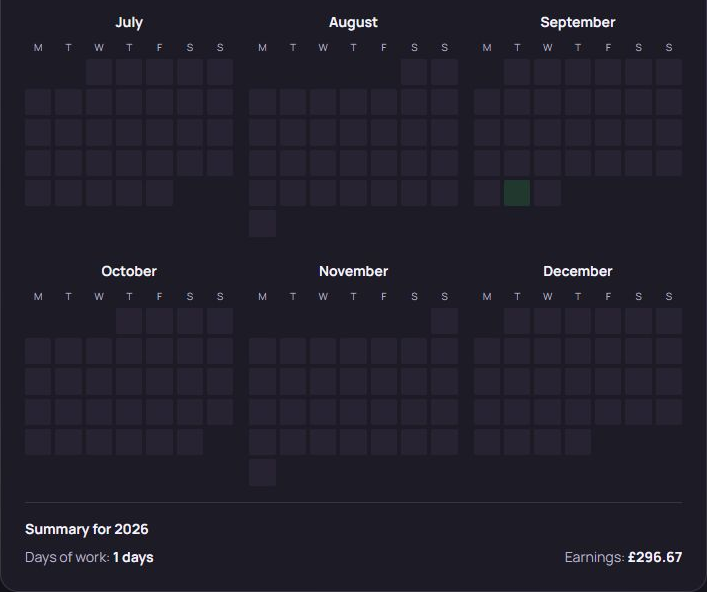
Switch the Activity Calendar between month and year views to see your recorded work and travel dates. The yearly summary brings your total days and earnings together.

Days count distinct work and travel dates. Calendar earnings follow those dates using activity charges on issued invoices, converted to your reporting currency. They exclude tax and expenses and include unpaid invoices. Dashboard invoice totals use the issue date.

Explore the calendar summary
Actual Activity Calendar year-view detail showing July to December and Summary for 2026: Days of work 1 day and Earnings £296.67, using sample data.
Activity Calendar · Year-view detail and totals · Sample data

Bill in their currency.
Review in yours.

Choose a currency for each invoice. The dashboard converts totals to your selected reporting currency using reference exchange rates.

Two themes.
The same workspace.

Choose Charcoal & Violet or colorful Neo Brutalism in Settings. Your app theme and your PDF invoice colors are separate choices.

A simple routine

Set up once.
Get back to work.

  1. Add your details

    Your sender and bank information, ready for each invoice.

  2. Record the assignment

    Your client, references, line items, and work or travel dates.

  3. Download your invoice

    Share the PDF and update its payment status when you’re paid.

Good to know.

Start without a subscription.

Create your account with email or Google and manage your contract work for free. No subscription or credit purchase is required.

Use your own email and bank.

Download and send your PDF yourself. Online payment collection and invoice email delivery are not currently included.

Your phone works, too.

Open the website in your mobile browser. There’s no separate native app to install.

Invoicing, with clear limits.

Currency summaries use reference exchange rates. PDF Invoicer does not file tax returns or submit invoices to Malaysia’s MyInvois system.

Less paperwork.
More headspace.

Create your account

Already set up? Log in